Terraform Core Workflow Explained for Associate 004
Learn what init, validate, plan, apply, destroy, and fmt really do so the Terraform core workflow feels predictable before exam day.
The Terraform core workflow is one of the most testable parts of the Terraform Associate 004 exam because it maps directly to what practitioners actually do. If the command sequence feels vague, scenario questions become harder than they need to be. If the sequence feels natural, a large category of exam items turns into straightforward reasoning.
HashiCorp's official objective list includes the workflow itself plus specific expectations around init, validate, plan, apply, destroy, and fmt. That is a strong signal that you should know both the order and the purpose of each command. The official mapping is on HashiCorp's Associate 004 exam content list.
The simplest way to remember the workflow
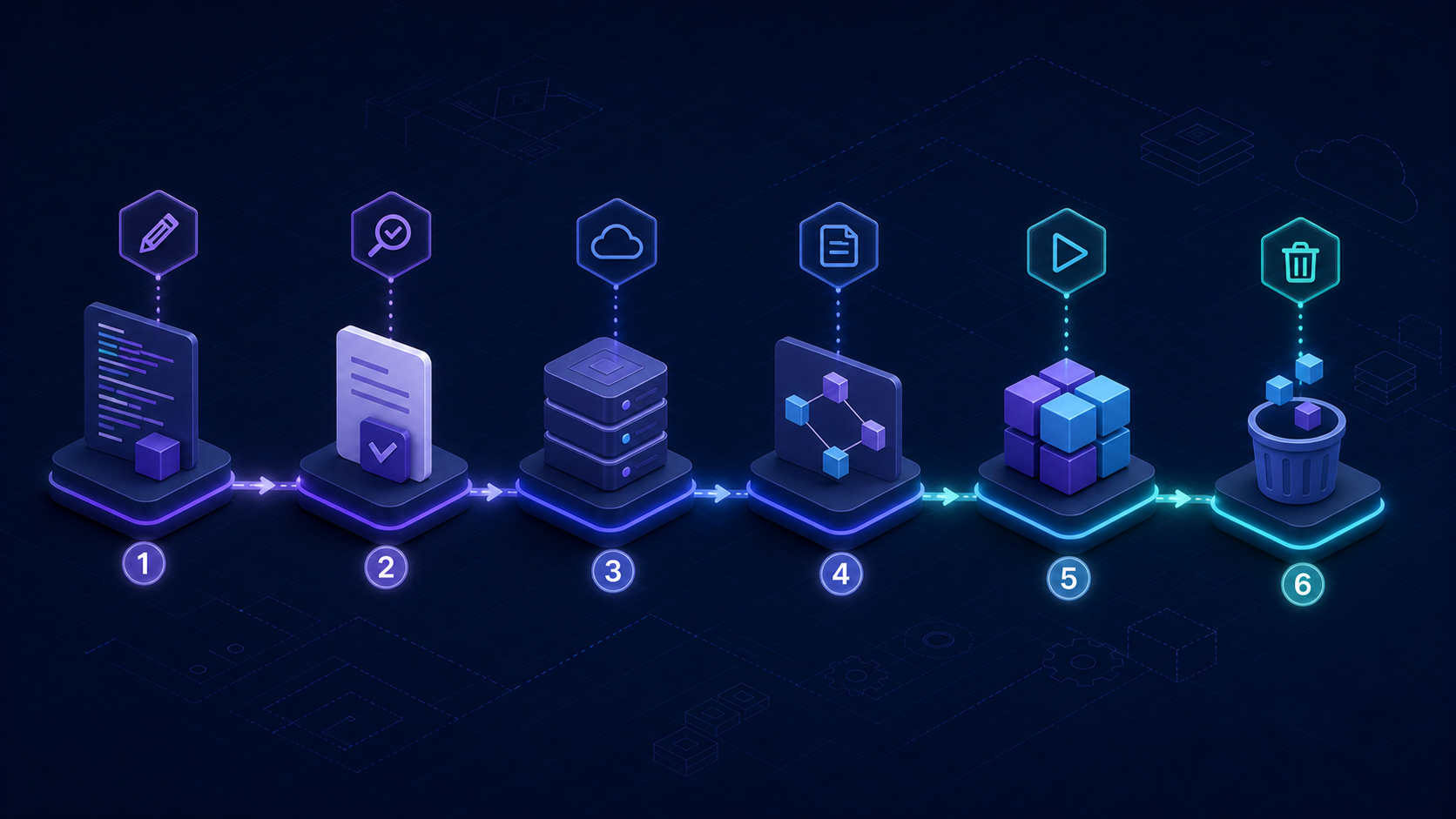
You can think of the workflow as six actions:
- Write or update configuration.
- Initialize the working directory.
- Validate the configuration.
- Create a plan.
- Apply approved changes.
- Destroy managed infrastructure when needed.
terraform fmt supports that flow by keeping configuration standardized and readable.
What terraform init really means
init prepares the working directory. It handles tasks like installing required providers and setting up backend configuration. On the exam, if a question asks which command gets a new or changed working directory ready to use, terraform init is the answer.
This is also why workflow questions often overlap with provider and backend questions. Initialization is where those concerns become active.
What terraform validate does and does not do
validate checks whether the configuration is syntactically and structurally valid. It does not create infrastructure. It does not replace the plan step. It gives you an early signal that the configuration itself is not well-formed.
If you confuse validation with planning, expect avoidable misses on the exam.
Why terraform plan matters so much
plan previews the actions Terraform intends to take. That preview is one of Terraform's most important safety mechanisms because it lets operators inspect change before execution. Questions about review, predictability, and change control often point back to planning.
If a scenario mentions wanting to understand impact before changing infrastructure, plan is usually the keyword that matters.
What terraform apply changes
apply takes the approved intent and makes it real. It creates, updates, or destroys resources according to the plan and configuration. Exam questions sometimes test this by contrasting planning with execution. Planning previews. Applying acts.
Where terraform destroy fits
destroy removes resources managed by Terraform. HashiCorp includes this explicitly in the current objective list, so do not skip it just because it feels obvious. Associate-level exams often include direct command-purpose questions, and destroy is a clean target for that format.
Why terraform fmt shows up on the exam
fmt is about style consistency. It does not change infrastructure behavior, but it does support readable, maintainable configuration. The exam includes it because Terraform is not only about provisioning resources. It is also about repeatable team practice.
A command-purpose comparison worth memorizing
| Command | Primary purpose | Common confusion |
|---|---|---|
init | Prepare working directory | People confuse it with planning or applying |
validate | Check configuration validity | People assume it previews infrastructure changes |
plan | Preview intended changes | People mistake it for execution |
apply | Execute changes | People understate the role of plan review first |
destroy | Remove managed resources | People forget it is a first-class workflow command |
fmt | Standardize formatting | People dismiss it as non-exam material |
How workflow connects to other exam domains
The workflow is not isolated. It touches providers, backends, state, modules, and maintenance. For example:
initconnects to provider installation and backend setup.plandepends on accurate state.applyis safer when teams review planned changes first.destroymatters in short-lived or test environments.
That is one reason Terraform fundamentals and state management are good companion topics. If you want to strengthen those areas next, read our modules and providers guide and our state management guide.
FAQ
What command shows what Terraform is going to change?
terraform plan previews intended changes before they are applied.
What command prepares a new working directory?
terraform init initializes the directory, including provider and backend setup.
Does terraform validate change infrastructure?
No. It checks whether the configuration is valid, but it does not create or modify resources.
Bottom line
When the Terraform workflow makes sense, many exam questions stop feeling like memorization and start feeling like common sense. That is where you want to be before test day.
If you want to pressure-test your command knowledge, use the Terraform Associate practice tests. They are useful study material because they build fast command-purpose recall around init, validate, plan, apply, destroy, and fmt, which is exactly what matters when the exam gives you several answer choices that look almost right.